Showing posts with label Computer Data Recovery. Show all posts

Saturday, January 17, 2015

Why overheating is your computer’s invisible Enemy

Data Recovery
Overheating can be a problem before you may even realise it. Did you know that a computer that gets too hot internally can cause hardware inside your unit to fail? What can cause a hard drive crash other than an extremely high heat that drives up the internal temperature inside hard drives? Did you know that the heat inside a hard disk drive may be unevenly dispersed? With temperatures rising, platters on hard drives malfunction, your computer files may be lost if your hard drive overheats.

If your computer is running slow, it may be a sign that heat is affecting your computer’s performance.   Did you know this is one sign that a computer data recovery specialist looks for while they are trying to retrieve data? Does your computer constantly have a hot spot that you can feel when you have your wrists on the keyboard? It may simply be a common problem with certain computer designs.

Data recovery specialists may be able to recover files from a Bios System

Why is flashing a bios system not the best option, sometimes, for recovering your most important files? Did you know that a data specialist may be able to perform computer data recovery on a hard disk drive by restoring your Bios system to another point? However, this isn’t an option an amateur should try. Errors in a Bios system can cause a CPU unit from functioning correctly.  This is why it is best that only a professional try to restore Bios to another point or restore files lost because of computer data loss.

However, there can be many ways heat can damage your computer. Since dust is an insulator, dust may cause fans to stop working correctly and overheating to take place quickly.  A data recovery specialist can recover data from platters that aren’t turning correctly.  Did you know that a specialist can use special software to check how hot a computer’s CPU is running? This can be a better method rather than holding your hand near the fans that are blowing to cool down your computer.

Specialists will examine all Options

  • Does a motherboard need replacing?
  • A specialist can open the casing around a computer to check for damage
  • A specialist knows the best way to cool an overheating computer or battery
  • Does a compute simply need a professional cleaning before files are retrieved?
  • Does your computer need a new computer fan to cool a desktop or laptop?

Why tiered data may be an effective data storage method for some Institutions

Raid Recovery
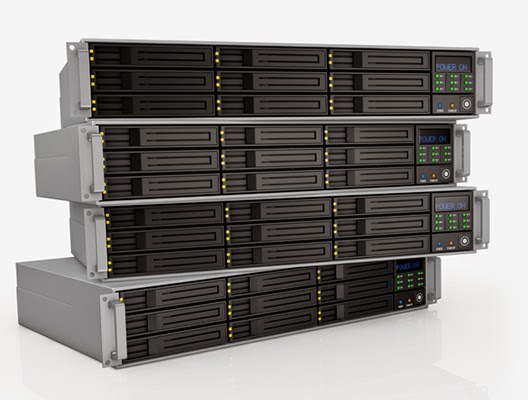
Many businesses and institutions may need effective storage, but not want to spend the money on a Raid system. Having a tiered data system may be an option for some businesses that cannot afford a dedicated IT professional to manage a Raid system. Similar to Raid array, a tiered data structure offers data protection. Why may a tiered data system be a better option for some institutions and businesses?

Unlike a Raid system, where data is mirrored and sensitive data protected over a number of disk drives, a tiered system has anywhere from two to six tiers. Sensitive data is stored on higher tiers and information that is accessed every day may be stored on a lower tier. This allows businesses and institutions the ability to access what they need and still keep safe their sensitive data. Did you know that tiering can cut capital expenses by expanding the life of expensive hardware. It also reduces the cost of operating costs by lowering the cost managing for expensive drives. Customers can pay for expensive data storage just for their most sensitive data that needs the tiered space.

What is the true cost of tiered Storage?

Did you know that tiered storage can be used to save solid state drives, hard drives, and also backup that tape data? It can cost the most to backup solid state drive data because this type of data takes up the most room. Did you know that it can cost a few hundred thousand pounds a year for hard drive storage. It only costs around £19,000 to protect tape data. Why is taped data less than other types of data? Tape data takes less up less than space to save data than a solid state drive or hard drive. This is why this type of data takes up less storage and costs less.

For institutions who have aging data systems and data stored on several different devices, in a number of places. By using a tiered data storage, this allows colleges and other institutions to easily protect their data without costing an arm and a leg. In some instances, a tiered system may be cheaper than a Raid system.

It’s best to speak to the professionals when you have questions about recovering lost data and which way is the best way to protect important data. 

Tuesday, December 30, 2014

Making sense of the code: Three reasons why IT professionals should recover lost data

PC Data Recovery
A computer may seem simple. Today’s machines can be bought in-store and are already designed to run Internet Explorer out of the box. They will also be pre-configured with a hard drive waiting to store your files. But, data storage and data recovery (if something happens to the files) isn’t that simple.

Why shouldn’t you attempt your own data recovery? Did you know today’s hard drives aren’t just made of a single magnetic head or platter. Hard drives are comprised of several disks and the heads to write data may be damage by abrupt jostling. The concentric rings that data is stored on, known as cylinders, may also become damaged. These cylinders can also be subdivided into sectors or blocks. Why is data loss so complicated to understand? In order to address a sector or cylinder, it may require an algorithm known as the logical addressing algorithm. It may also mean you need a firm understanding of what happens when you want to write 10-20 bytes of data, but the computer instead reads or writes the full 512 bytes.

Which records do you need?

This question may be one that only a certified data recovery specialist can answer.  Many employees who are not IT professionals may not know how to look into the Master Boot Record and it can found in the first logical addressing algorithm or LBA.  It is usually found in the first of these drives. But, how do you know if these files are bootable? If you find the LBA, you will know the drive is bootable.  If it is missing, the drive may not be able to be accessed.

Amateurs may not know about file systems. These file systems are determined by using an algorithm. Did you know the algorithm tells the computer where to store files and how much memory should be used to store records? The trick is retrieving files from your computer. It is best to take the files to a professional who knows whether your files are stored in a NTFS or a FAT32  drive. These files can become corrupted and then files are not recognisable by the computer’s hard drive.  Corrupted files may also keep programs on your computer from being able to open files needed.

Did you know distortion can also keep your files from easily being accessed?  Since the files must be searched in a NTFS or FAT32 drive that cannot be accessed, it may take the skill of a professional to help your OS function correctly. However, many computer owners may not know if a files system is a NTFS or FAT32 drive and without knowing which is which, there is no way files can be retrieved. An untrained professional also may not understand the need for Volume Boot Record, which tells the computer which drive partition to search in order to find much needed records.

Do you know how to access an NTFS or FAT32 to see how much memory is being consumed by your drives? Have you ever had corrupted files in either of these drives?  At Swansea Data Recovery, we also offer our 15 years of experience in many other data recovery services so that your documents stored on Raid arrays and your sensitive data, and more is safe. We can help you recover lost data from internal and external hard disk drives.